Plan within the 5” x 7” area
The PE900 uses the 5” x 7” (130 x 180mm) hoop. Plan design dimensions to fit within these bounds before exporting.
 StitchPilot.ai
Machine guide · Brother PE900
The Brother PE900 is the successor to the PE800 — same 5” x 7” hoop, refreshed firmware, and wireless transfer via the Brother iBroidery app. This guide covers PES export and transfer workflow for the PE900.
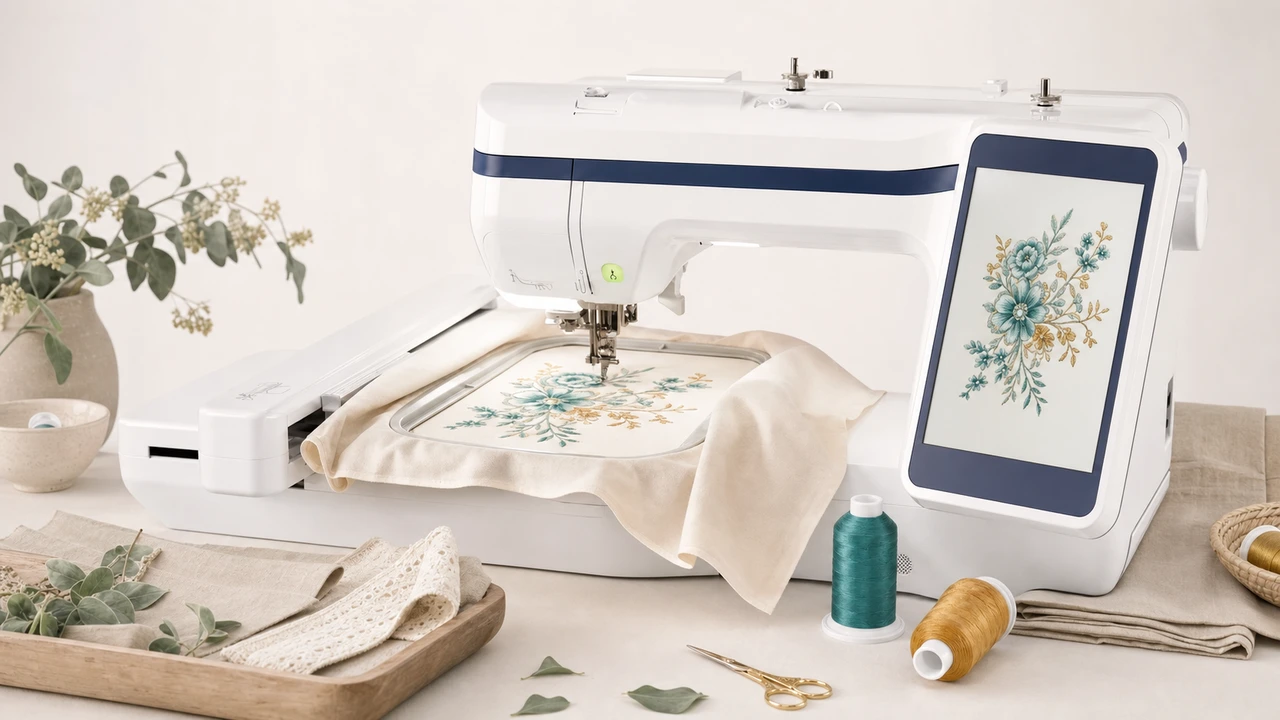
Working with Brother PE900
The PE900 uses the 5” x 7” (130 x 180mm) hoop. Plan design dimensions to fit within these bounds before exporting.
Use StitchPilot.ai to convert PNG, JPG, SVG, or WebP into PES format. The PE900’s newer firmware supports recent PES versions — export defaults usually work directly.
PE900 supports both USB drives and wireless transfer via the Brother iBroidery app. Wireless transfer is convenient for one-off designs; USB stays reliable for larger libraries.
The PE900’s color touchscreen previews the design with color order. Confirm scale and colors before pressing start.
PE900 vs PE800
The PE900 is the modern PE800 — same embroidery area but with refreshed firmware, larger touchscreen, and wireless transfer support.
Workflow tips
The PE900 is one of the most popular home embroidery machines — the workflow is well-trodden.
Brother PE900 — common questions
The PE900 is the successor to the PE800. Same 5” x 7” embroidery area, but with refreshed firmware, larger color touchscreen, and wireless transfer via the Brother iBroidery app.
Yes. The PE900 uses PES, Brother’s native embroidery format. StitchPilot.ai exports PES from PNG, JPG, SVG, and WebP artwork.
Yes. The PE900 supports wireless transfer via the Brother iBroidery app for iOS and Android. USB transfer is also supported as a fallback.
The PE900 ships with a 5” x 7” hoop (130 x 180mm). Designs must fit within those dimensions.
No. The PE900 is embroidery-only. For combination sewing + embroidery, see the SE700 or SE1900.
Ready to convert?
Upload PNG, JPG, SVG, or WebP artwork. StitchPilot.ai converts it to PES and gives you a stitch preview before download.
Start converting →