 StitchPilot.ai
Wilcom Hatch alternative
The Browser-Based Wilcom Hatch Alternative
Wilcom Hatch starts at $399 and runs only on Windows. StitchPilot.ai runs in your browser, uses AI digitizing, and is free for typical use. Compare the differences below and decide which tool fits your workflow.
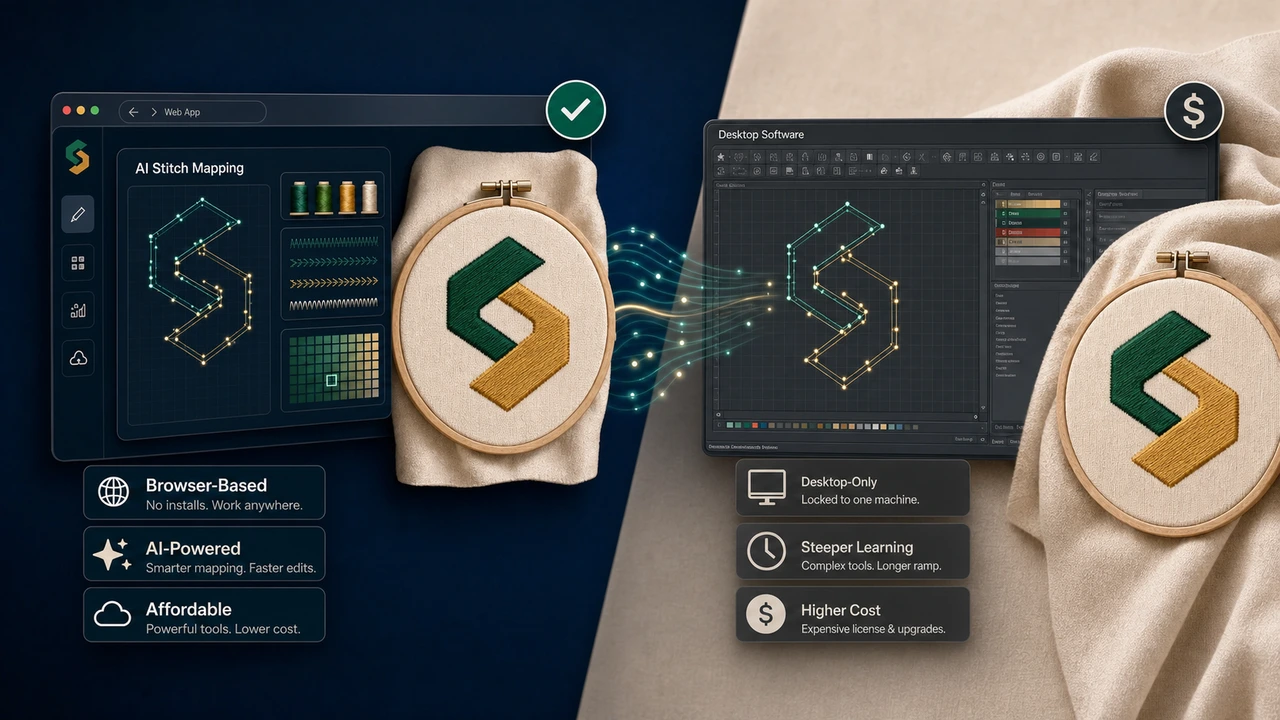
Side-by-side comparison
| Feature | StitchPilot.ai | Wilcom Hatch |
|---|---|---|
| Starting price | Free (typical use) | ~$399 (Lettering) |
| Top tier price | Subscription, no perpetual upgrade fees | ~$1,299+ (Composer) |
| Platform | Web — Windows, macOS, Linux, ChromeOS, iPad | Windows only |
| Install required | No | Yes, full desktop install + activation |
| AI auto-digitizing | Built in | Auto-digitizing in higher tiers |
| Lettering engine | Basic — sufficient for monograms and labels | Industry-leading lettering, kerning, baselines |
| Manual stitch editing | AI-driven, light manual tools | Deep manual editing across every stitch |
| Supported formats | PES, DST, JEF, VP3, EXP, HUS, XXX, EMD | Full range incl. proprietary EMB |
| Learning curve | Minutes | Weeks to months |
| Best for | Small studios, Etsy, hobby, occasional use | Production digitizers, lettering shops |
When to choose StitchPilot.ai
You want results in minutes, not a new software career
StitchPilot.ai is the right call when most of your work is converting client logos to PES, opening a JEF a customer sent you, or quickly re-exporting a DST for a different machine. AI digitizing means you upload artwork and review the output — you do not draw stitch paths by hand.
- Etsy sellers digitizing one-off custom orders
- Small studios handling under 50 designs per month
- Print shops adding embroidery as a secondary service
- Hobbyists who do not want to learn a CAD-grade interface
When Wilcom Hatch still wins
Production-grade stitch engineering
If you digitize for a living — running a contract digitizing shop, producing complex multi-needle production runs, or hand-tuning underlay and density per design — Hatch and the broader Wilcom suite remain the gold standard. StitchPilot.ai is complementary, not a replacement for that workflow.
- Production lettering with full kerning control
- Hand-tuned underlay and density per object
- Stitch-by-stitch editing across thousands of objects
- Custom motifs, fills, and effects libraries
StitchPilot.ai vs Wilcom Hatch — common questions
Why look for a Wilcom Hatch alternative?
Wilcom Hatch ranges from ~$399 (Lettering) to ~$1,299+ (Composer) and is Windows-only. For Etsy sellers, hobbyists, and small studios doing a few designs a week, a free browser-based tool with AI digitizing covers most needs.
Can StitchPilot.ai replace Hatch entirely?
For most personal and small-studio workflows — converting an image to PES/DST/JEF, opening files, exporting different formats — yes. For production-grade lettering, deep stitch editing, and custom underlay/density engineering, Hatch and Wilcom suites remain stronger.
Will Hatch designs open in StitchPilot.ai?
Yes. Hatch exports to standard embroidery formats (PES, DST, JEF, VP3, EXP, HUS, XXX). StitchPilot.ai opens all of them in the browser for preview and re-export.
Is StitchPilot.ai really free?
Free for typical individual use. Paid plans add larger files, batch processing, and team access. No license server, no Windows-only restriction, no per-machine activation.
Does StitchPilot.ai run on macOS or Linux?
Yes. It runs in any modern browser — Chrome, Safari, Firefox, Edge — on Windows, macOS, Linux, ChromeOS, and tablets. Hatch is Windows-only (Mac requires Parallels or Boot Camp).
Try it side-by-side
Open StitchPilot.ai now — no install, no credit card
Upload an image, see the AI-assisted preview, and decide if it fits your workflow before paying anything.
Start free →