Input: image analysis
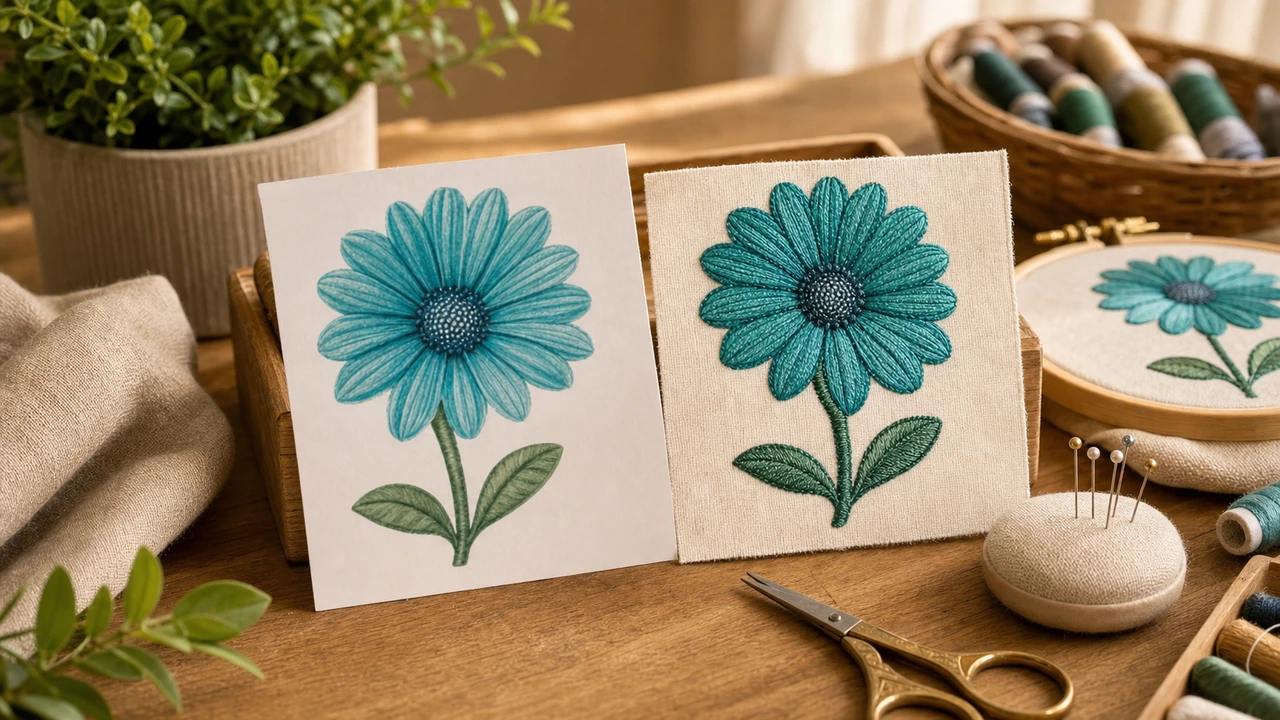
The AI analyzes your input image — identifies shapes, colors, edges, and likely stitch regions. Clean artwork with crisp edges and clear color separation gives the AI the most to work with.
 StitchPilot.ai
Deep dive · AI digitizing
AI digitizing has changed the embroidery workflow. Tasks that took an experienced digitizer 20–60 minutes — choosing stitch types, planning color separation, generating underlay — happen in seconds with a model trained on millions of designs. This guide explains what AI does well, what still needs human review, and where browser-based AI digitizing fits in production.
AI in the digitizing pipeline
The AI analyzes your input image — identifies shapes, colors, edges, and likely stitch regions. Clean artwork with crisp edges and clear color separation gives the AI the most to work with.
For each region the AI chooses a stitch type — fill stitch for solid areas, satin stitch for borders and lettering, run stitch for thin lines. These decisions used to be hand-made by a digitizer.
The AI calibrates stitch density and underlay for the design size. Get this wrong by hand and the design either bulges or gaps. AI gets the baseline right; you adjust before final export.
Export to PES, DST, JEF, VP3 — any major embroidery format. The same source image targets every major machine ecosystem without re-digitizing.
Where AI wins
AI digitizing produces strong results on:
Where humans still matter
AI output is a strong starting point but does not replace human review for:
AI embroidery digitizing — common questions
For typical commercial and personal embroidery, AI digitizing produces output comparable to a competent professional. For production-grade lettering and brand-critical custom stitching, an experienced digitizer still wins on the last 10% of polish.
In StitchPilot.ai, AI conversion takes seconds. Compare to 20–60 minutes for hand-digitizing a comparable design. The time saving compounds across a production library.
AI replaces the routine 80% of digitizing — image-to-stitch conversion for everyday designs. Skilled digitizers still own production lettering, complex custom work, and brand-critical stitching where AI lacks judgment.
Basic knowledge helps — understanding fill vs satin vs run stitch makes you a better reviewer of AI output. But you do not need to know how to digitize from scratch to use AI tools successfully.
Clean PNGs or SVGs with crisp edges, clear color separation, and minimal background noise. Photographs work but generally produce simpler results. Always run a test stitch on production work regardless of source quality.
See it in action
Free for typical use. No install. Upload a PNG, JPG, or SVG and see the AI-generated embroidery preview before exporting to any major format.
Try AI digitizing →