Upload your png
Start with a clean PNG. Transparent backgrounds work especially well — they let the AI separate stitch regions from non-stitch areas without manual masking. Tighter contrast and crisp edges produce the most predictable VP3 output.
 StitchPilot.ai
Format converter · VP3 output
Turn a PNG image into a VP3 embroidery file using AI-assisted digitizing with preview checkpoints and Husqvarna Viking-ready workflow guidance. VP3 is the native format for Husqvarna Viking Designer Epic, Brilliance, Topaz, and Sapphire embroidery machines.
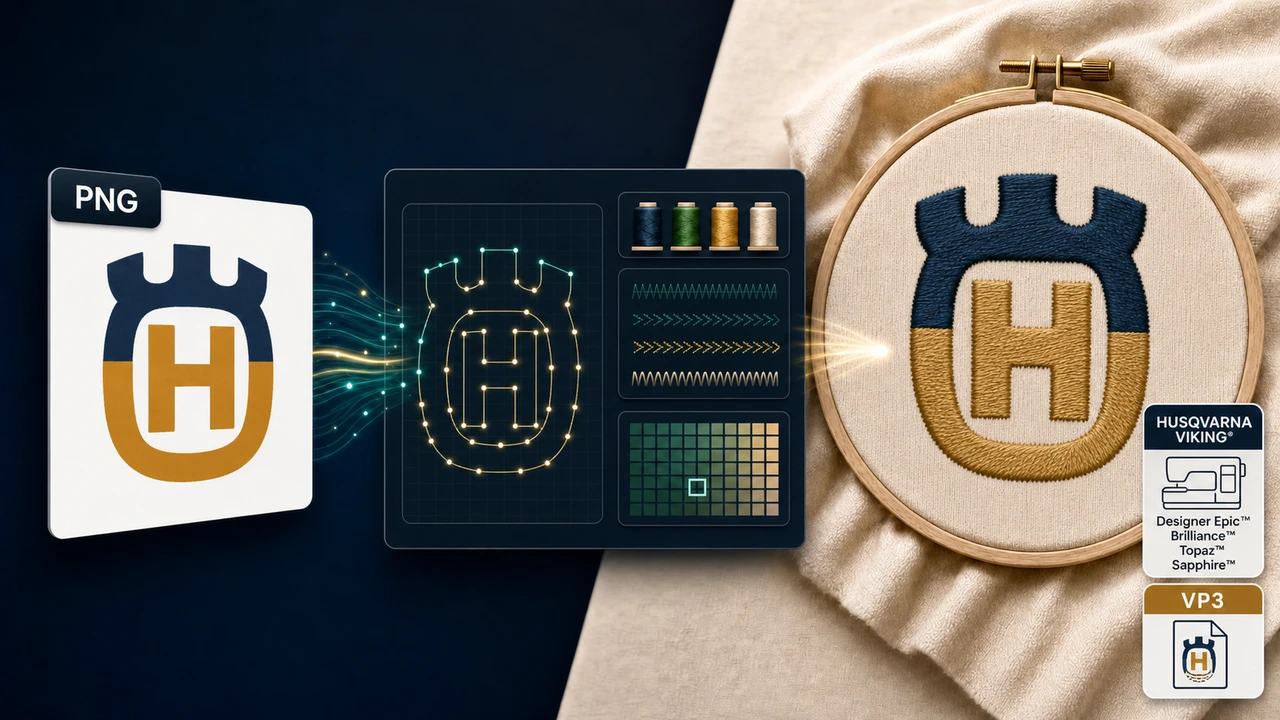
Recommended workflow
Start with a clean PNG. Transparent backgrounds work especially well — they let the AI separate stitch regions from non-stitch areas without manual masking. Tighter contrast and crisp edges produce the most predictable VP3 output.
StitchPilot.ai analyzes shapes, colors, and likely fill areas, then recommends size, color count, and quality settings appropriate for VP3 output. AI output should still be reviewed before production.
Check scale, major color zones, object separation, and Husqvarna Viking hoop fit before committing. A visual preview catches issues earlier than a machine run and saves time on test stitches.
Download the VP3 file, transfer it to your Husqvarna Viking machine (USB, ATA card, or direct connection depending on model), and keep your original artwork for future revisions or re-exports to other formats.
About VP3
VP3 is the embroidery file format used by Husqvarna Viking and Pfaff machines from the Designer line forward. It supports rich thread color metadata and stitch attributes used by the Husqvarna Viking ecosystem. Newer Husqvarna Viking models open VP3 directly without conversion.
Quality & privacy
Embroidery involves physical variables that software cannot fully predict. StitchPilot.ai assists with AI-driven conversion and preview generation — the final stitched result also depends on fabric, stabilizer, needle, thread, hoop size, and machine settings.
PNG to VP3 — common questions
VP3 is the native embroidery file format used by Husqvarna Viking machines. Compatible models include Designer Epic, Designer Brilliance, Designer Topaz (25, 30, 40, 50), Designer Sapphire (65, 85), and Designer Ruby Royale. Choose VP3 when your machine or production partner is in the Husqvarna Viking ecosystem.
The PNG to VP3 workflow turns a PNG image into a VP3 stitch file that a Husqvarna Viking embroidery machine can read directly, with AI-assisted digitizing decisions and a preview before download.
Yes. AI conversion, preview export, and file viewing are workflow aids. Review scale, fabric, thread assumptions, density, and Husqvarna Viking machine constraints (such as hoop size and color count) before production. A physical test stitch is recommended for important production runs.
No. A preview is useful for client approval and quality checks, but a physical test stitch is still recommended for important production runs. Fabric, stabilizer, needle, thread, hoop size, and machine settings all affect the final stitched result.
VP3 is the long-standing format used by Husqvarna Viking and Pfaff Creative machines. VP4 is a newer extended variant on the latest Designer Epic line. If you are uncertain, VP3 is the safer interchange format — most Husqvarna Viking machines read it directly. Confirm with your model's manual.
Ready to continue?
Upload your png, review the AI-assisted stitch preview, and export a VP3 file ready for your Husqvarna Viking embroidery machine.
Start PNG to VP3 →