Upload your DST file
Drag your .dst into the StitchPilot.ai workspace, or use the file picker. The file is read entirely in your browser.
 StitchPilot.ai
File preview · JPG output
Render a DST embroidery file as a flat JPG preview image — small file size, ideal for client emails and marketplace listings. Open the file, preview, export — no Tajima software required.
Recommended workflow
Drag your .dst into the StitchPilot.ai workspace, or use the file picker. The file is read entirely in your browser.
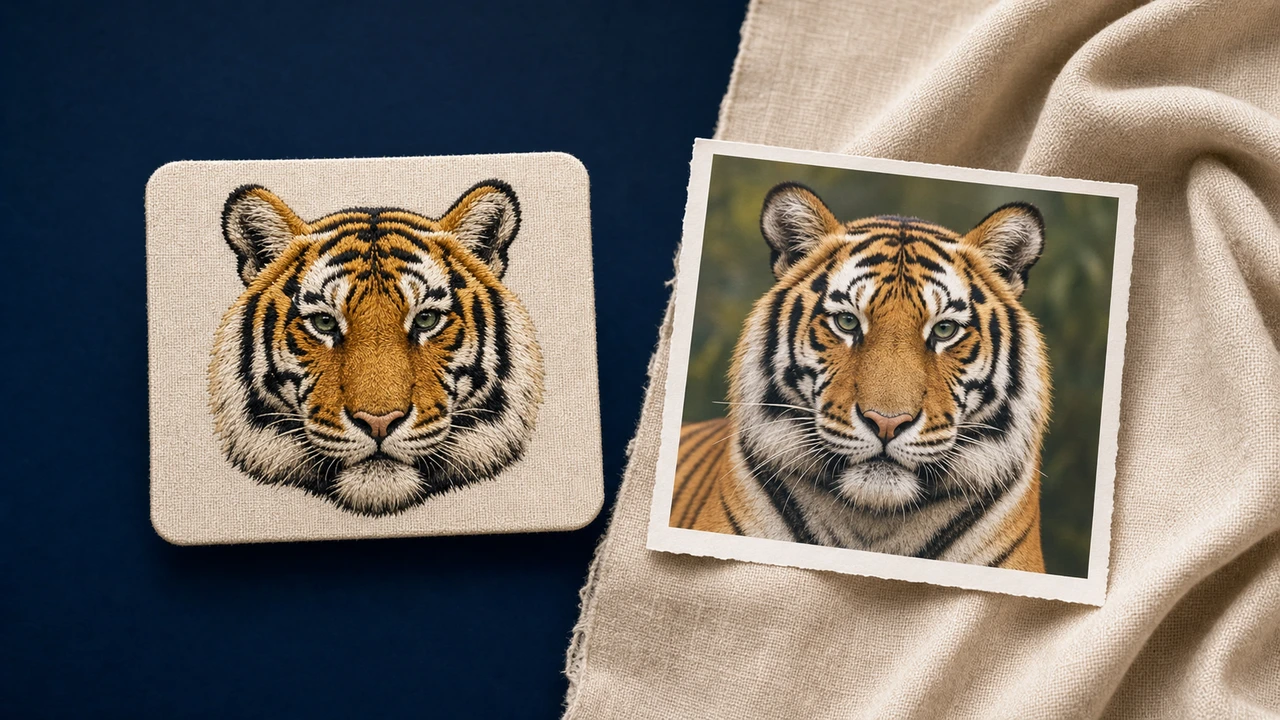
See the design rendered with stitches, color order, and approximate dimensions. Identify color changes and verify the design before exporting.
Save a JPG preview for Etsy listings, marketing emails, design library catalogs. The JPG reflects what the embroidery design looks like when stitched.
If you need to move the design to a different machine, head to the relevant converter page to export an alternate embroidery file from the same source.
About DST
DST is the native format for Tajima machines including Tajima commercial multi-needle machines. The format stores stitch data, color sequence, and design metadata.
Privacy & quality
StitchPilot.ai renders DST files in the browser. The JPG preview is a flat raster (JPG) or vector (SVG) — useful for visual review and client-facing communication, not a stitch file.
DST to JPG — common questions
JPG previews let you visually inspect DST embroidery designs without loading them onto a machine. Useful for Etsy listings, marketing emails, design library catalogs.
Yes. StitchPilot.ai reads DST in the browser — no Tajima software required. After opening, export as JPG for sharing.
Resolution is configurable in the workspace. Default sizes work for typical client review and catalog use.
The preview reflects the colors and layout stored in the embroidery file. Actual stitched results depend on fabric, stabilizer, thread, and machine settings.
Yes. Once the file is open in StitchPilot.ai, you can convert to PNG, JPG, SVG, or any other major embroidery format (PES, DST, JEF, VP3, etc.).
Ready to preview?
Upload your DST embroidery design, render in the browser, export a JPG for Etsy listings, marketing emails, design library catalogs.
Open DST file →