Upload your artwork
Start with a clean PNG, JPG, SVG, or WebP. Avoid low-contrast edges, busy backgrounds, or tiny screenshots — clean artwork produces the most predictable EXP stitch result on Melco / Bernina machines.
 StitchPilot.ai
Format converter · EXP output
Turn a PNG, JPG, SVG, or WebP artwork into a EXP embroidery file using AI-assisted digitizing with preview checkpoints and Melco / Bernina-ready workflow guidance. EXP is the native format for Melco Amaya and Bravo commercial machines and select Bernina embroidery models.
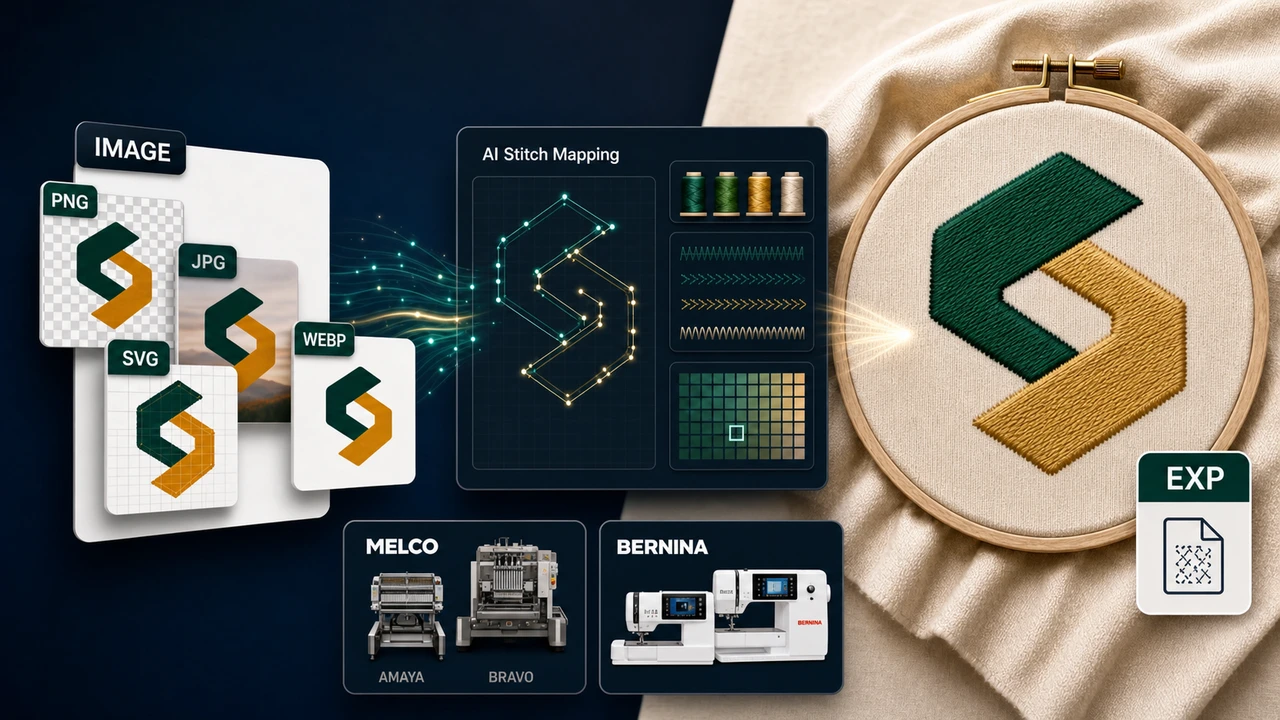
Recommended workflow
Start with a clean PNG, JPG, SVG, or WebP. Avoid low-contrast edges, busy backgrounds, or tiny screenshots — clean artwork produces the most predictable EXP stitch result on Melco / Bernina machines.
StitchPilot.ai analyzes shapes, colors, and likely fill areas, then recommends size, color count, and quality settings appropriate for EXP output. AI output should still be reviewed before production.
Check scale, major color zones, object separation, and Melco / Bernina hoop fit before committing. A visual preview catches issues earlier than a machine run and saves time on test stitches.
Download the EXP file, transfer it to your Melco / Bernina machine (USB, ATA card, or direct connection depending on model), and keep your original artwork for future revisions or re-exports to other formats.
About EXP
EXP is the native embroidery format developed by Melco, widely used in commercial embroidery production. Bernina also supports EXP across many of its home and prosumer embroidery machines. EXP focuses on raw stitch data and command sequences; thread and color information is typically paired in a separate EDR or color file.
Quality & privacy
Embroidery involves physical variables that software cannot fully predict. StitchPilot.ai assists with AI-driven conversion and preview generation — the final stitched result also depends on fabric, stabilizer, needle, thread, hoop size, and machine settings.
Image to EXP — common questions
EXP is the native embroidery file format used by Melco / Bernina machines. Compatible models include Melco EMC, Amaya, and Bravo X commercial multi-needle systems, plus Bernina home embroidery models (B 5/7/8 series) that accept EXP. Choose EXP when your machine or production partner is in the Melco / Bernina ecosystem.
The Image to EXP workflow turns a PNG, JPG, SVG, or WebP artwork into a EXP stitch file that a Melco / Bernina embroidery machine can read directly, with AI-assisted digitizing decisions and a preview before download.
Yes. AI conversion, preview export, and file viewing are workflow aids. Review scale, fabric, thread assumptions, density, and Melco / Bernina machine constraints (such as hoop size and color count) before production. A physical test stitch is recommended for important production runs.
No. A preview is useful for client approval and quality checks, but a physical test stitch is still recommended for important production runs. Fabric, stabilizer, needle, thread, hoop size, and machine settings all affect the final stitched result.
EXP stores stitch instructions but not thread color information. Most Melco workflows pair the EXP with an EDR or .col color file. Bernina machines often map colors to defaults at runtime. When in doubt, export both the EXP and any color file your software generates and keep them together.
Ready to continue?
Upload your artwork, review the AI-assisted stitch preview, and export a EXP file ready for your Melco / Bernina embroidery machine.
Start Image to EXP →